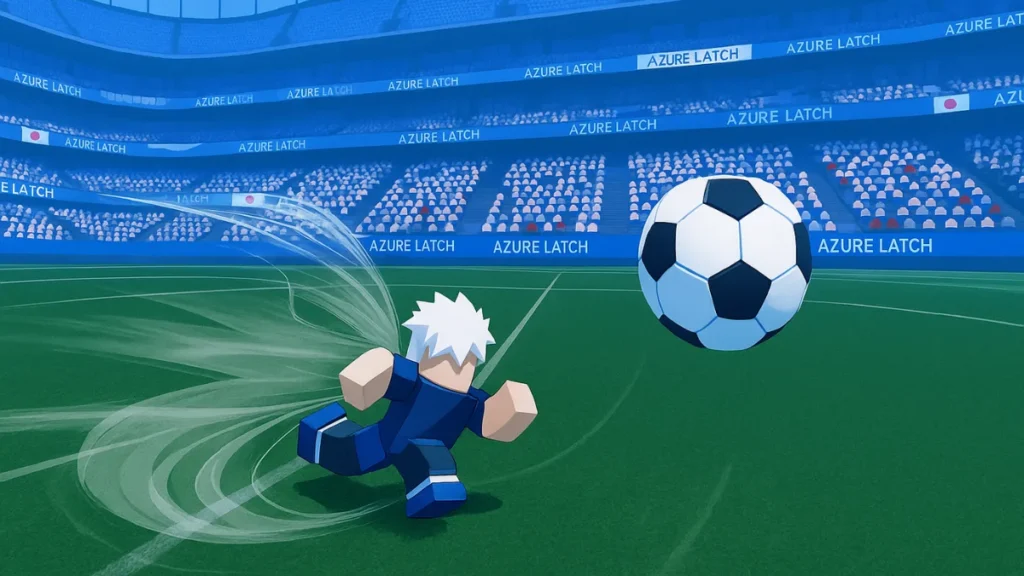
Azure Latch brings Blue Lock-style football action to Roblox, letting you step onto the pitch as a flashy striker with powerful moves, styles, and MVP animations. Every match is about speed, timing, and smart plays, so having enough in-game cash can make progression feel much smoother.
That is where Azure Latch codes help. By redeeming them, you can claim free rewards like Cash and Style Coins, making it easier to unlock new styles, try different builds, and stand out every time you score.
All Active Azure Latch Codes May 2026
Here’s a complete list of working codes that can get you free cash in Azure Latch. Be sure to follow the requirements (like following specific developers) to unlock certain rewards.
| Code | Rewards |
|---|---|
| CHEMSOON | Redeem for free rewards |
| SAFETYFIRST | Redeem for 5k Style Coins and 5k Cash |
| BROTHERNOAH | Redeem for free rewards |
| KIYORAUPDATE | Redeem for free rewards |
| HAPPYMOTHERSDAY | Redeem for free rewards |
| SORRYFORDELAY | Redeem for free rewards |
| CLUBTOGETHER | Redeem for free rewards |
| MYANIMEFANSMAN | Redeem for free rewards |
| SOCCERISTHISSERIOUSBTW | Redeem for free rewards |
Note: Codes are case-sensitive. Copy-paste them exactly as shown to avoid redemption errors.
Expired Codes
These codes are no longer working. Avoid using them:
QOLbroQOL, GAGAMARUPUNCH, TheMonster, DelayLatch, Jakethesnake, TheKing,
AMMISTHEOWNERNOTLEFTRIGHTTH, ACEEATER, THXFOR2M, THXFORFOLLOWERS,
FOLLOWCHIBA, follow4mmeie, FOLLOWWENDY, FOLLOWJX, FOLLOWMERCY,
FOLLOWCHAPTER, FOLLOWAVA, FOLLOWOLLY, FOLLOWDAST, FOLLOWDASS, FOLLOWERT,
RINRELEASE, sorryfordelay, RINSOONTRUSTME, SorryForRollback,
SAEREWORK3TIME, sorryforlatency
How to Redeem Azure Latch Codes
Redeeming codes in Azure Latch is easy, but there are some basic steps to follow:
- Join the “twi game” Roblox group and like the Azure Latch game.
- Launch Azure Latch on Roblox.
- Tap the Menu button at the bottom of your screen.
- Navigate to the Rewards tab (usually on the far right).
- Enter a working code in the text box.
- Click Redeem to collect your reward.
Tip: If a code isn’t working, check for typos, extra spaces, or verify that you’ve met any follow requirements.
How to Get More Codes
To stay updated on the latest codes:
- Bookmark this page and check back regularly (Ctrl+D or Cmd+D).
- Join the official Azure Latch Discord server for updates.
- Follow developers and the Twi game group on Roblox.
- Watch for new codes during events, updates, or milestone celebrations.
What is Azure Latch?
Azure Latch is a 5v5 football game on Roblox with anime-style visuals and super-powered abilities. Inspired by Blue Lock, the game puts players in fast-paced matches with flashy goal celebrations, unlockable animations, and custom emotes. It combines skill-based gameplay with character-driven flair, making it a standout in Roblox’s sports game lineup.
Tip: You can also bookmark our own Fdaytalk Gaming page, where we regularly share all working codes and guides for Project Egoist, and many other games. It’s an easy way to stay updated without missing new drops.
Using Azure Latch codes is the quickest way to stockpile cash for unlocking styles, animations, and emotes that make your gameplay flashier and more fun. Be sure to grab the current codes before they expire and stay tuned for upcoming ones during major updates.